For Your Business
Legacy System Modernization: How to Modernize Without Disrupting Operations
Countless growing businesses rely on applications that have supported their operations for years; even decades. These systems manage essential activities such as order processing, inventory, finance, customer information, and internal workflows.
Although the technology may be outdated, the business processes built around it can still work reliably.
Problems arise when these systems become difficult to maintain, integrate, or adapt to changing requirements. Simple updates take longer, employees rely on spreadsheets to fill information gaps, and IT teams spend more time maintaining existing applications than improving business capabilities.
Replacing an entire system may seem like the obvious solution, but do you consider it plausible?
Businesses must continue serving customers, processing transactions, and managing daily activities throughout the transition.
Legacy system modernization offers a more measured approach: improving outdated technology in manageable stages while keeping essential business operations running.
Organizations planning broader technology change can also benefit from business transformation consulting that connects technology decisions with operational priorities.
The goal is not to replace every older application. It is to understand which systems still provide value, identify the limitations affecting the business, and determine what needs to change.
This guide explores the modernization process, the signs that legacy systems need attention, and practical ways to manage the transition without unnecessary disruption.
What Is Legacy System Modernization?
Legacy system modernization is the process of updating older applications, infrastructure, and technology environments to meet current business and technical requirements.
A legacy system is not necessarily one that has stopped working. It may still perform its original function effectively, but its architecture, technology stack, or integration capabilities may make it difficult to support new requirements.
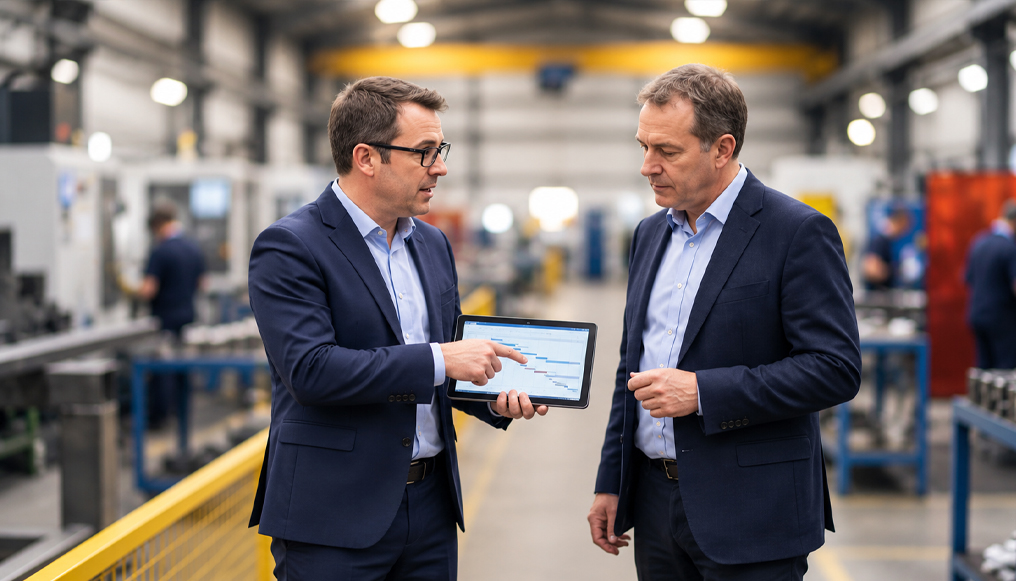
For example, a manufacturing company may use an older application to manage production schedules. The application may still calculate production requirements correctly, but it may not exchange information efficiently with newer inventory and procurement platforms.
mployees then have to transfer information manually, creating delays and increasing the possibility of errors.
Modernization addresses these limitations without automatically discarding the entire application.
Common modernization approaches include:
- Application refactoring: Restructuring application code to improve maintainability, performance, or flexibility.
- Platform migration: Moving applications or workloads to a more suitable infrastructure environment, such as a supported cloud platform.
- System integration: Connecting existing applications with newer platforms to improve information exchange.
- Architecture modernization: Restructuring application components to support scalability and future requirements.
- Database modernization: Updating database technologies and structures to address performance, security, and compatibility concerns.
- Technology upgrades: Replacing unsupported languages, frameworks, or components where they create operational risks.
The right approach depends on the system’s business value, technical condition, dependencies, and future requirements.
Signs Your Legacy Systems Are Holding Your Business Back
Not every older application requires immediate modernization. Some systems remain stable, well understood, and suitable for their intended purpose.
The vital question is whether the existing environment can support business needs without excessive cost, manual effort, or operational risk.
Here are some signs that a modernization assessment may be necessary –
1. Maintenance Is Becoming More Expensive
An application that once required occasional maintenance may now need frequent patches, custom fixes, and specialist support.
IT teams end up spending more time keeping existing systems functional and less time developing capabilities that support business priorities.
2. Integrating With Newer Systems Is Difficult
Businesses typically use different applications for finance, inventory, customer management, procurement, and reporting.
When legacy applications cannot exchange information effectively with newer systems, employees may rely on spreadsheets, manual data entry, or custom workarounds.
Modernization can address these integration limitations while preserving business logic that still serves a useful purpose.
3. Employees Depend on Manual Workarounds
Repeated manual work can indicate that existing systems no longer support business processes effectively.
Employees may download reports, reconcile records between applications, re-enter customer information, or maintain separate spreadsheets because the required information is not available where they need it.
Before introducing another application, businesses should investigate whether the underlying issue is a missing integration, outdated workflow, or limitation in the existing system.
4. Security and Compliance Requirements Are Harder to Meet
Older applications may rely on operating systems, databases, or frameworks that no longer receive appropriate vendor support.
This does not automatically make every legacy application insecure. However, unsupported components can make it harder to apply security updates and respond to emerging vulnerabilities.
5. Performance Is Affecting Daily Operations
Slow response times, delayed processing, and recurring downtime can affect both employees and customers.
For example, an inventory application may struggle during periods of high demand, delaying stock updates and order processing.
Infrastructure capacity, database design, network conditions, and inefficient queries may also contribute.
6. Introducing New Business Capabilities Takes Too Long
Businesses may need to expand into new markets, introduce additional sales channels, or change how they serve customers.
Legacy systems can make these changes difficult when their architecture does not support new workloads or integrations. Modernization can improve flexibility, provided the scope is based on actual business requirements.
Legacy System Modernization vs. Replacement
Modernization and replacement are related, but they are not the same.
Modernization focuses on improving an existing technology environment. Replacement involves moving business operations to a different application or platform.
| Consideration | Modernization | Replacement |
| Existing application | Retained and improved in full or in part | Replaced with a new application |
| Business logic | Useful existing functionality can be preserved | Logic may need to be redesigned or migrated |
| Implementation | Can be divided into smaller changes | Often involves a broader transition |
| Investment | Depends on the scope of improvements | Includes new platform, migration, and transition costs |
| Best suited for | Systems with useful functionality and a viable technical foundation | Systems that cannot reasonably meet future requirements |
When Modernization Makes More Sense
Modernization may be appropriate when:
- The application still supports important business processes.
- Its core functionality is reliable, but selected components need improvement.
- Integration limitations are creating operational problems.
- The business needs better performance, security, or maintainability.
- Existing business logic would be expensive or difficult to reproduce.
For instance, a financial services company may retain an older application that handles a specialized internal process while modernizing its database and integration capabilities. This can address current limitations without rebuilding the entire application.
When Replacement Is the Better Option
Replacement may be more practical when:
- The application is no longer supported and cannot be maintained adequately.
- Its architecture prevents essential business changes.
- Maintenance costs exceed the value of retaining it.
- It cannot meet important performance, security, or integration requirements.
- Modernizing it would require extensive work without creating a sustainable result.
The decision should not be based on age alone. Businesses should assess technical condition, business value, integration dependencies, future requirements, total cost, and transition risk before choosing an approach.
How to Modernize Legacy Systems without Disrupting Operations
Modernization becomes challenging when businesses treat it as a technical project separate from daily operations.
Critical applications often support activities that cannot simply stop during implementation. A manufacturer needs to maintain production schedules, a retailer must continue processing orders, and a financial organization must protect transaction integrity.
A structured, phased approach helps businesses introduce improvements while managing these operational requirements.
1. Assess the Existing Technology Environment
Begin by understanding the applications, infrastructure, databases, integrations, and business processes involved.
An assessment should cover:
- Application purpose and business ownership
- Technology stack and vendor support
- Database structures and dependencies
- Connections with other applications
- Performance and availability requirements
- Security controls and recovery arrangements
- Existing customizations and workarounds
For example, an older finance application may connect with procurement, payroll, reporting, and banking systems. Changing it without understanding these dependencies could affect several business functions.
The assessment should also distinguish between technical limitations and outdated business processes. Replacing software will not automatically resolve an approval workflow with unnecessary steps or unclear ownership.
2. Prioritize Systems Based on Business Impact
Not every application needs modernization at the same time.
Prioritize systems based on their business importance, technical condition, and the risks associated with changing them.
A useful starting point is to group applications into three categories:
- Stable systems with manageable limitations: These may need targeted improvements, such as integration upgrades or performance optimization.
- Critical systems with significant limitations: These require a structured modernization plan because operational dependencies make disruption costly.
- Systems with limited future value: These may be candidates for consolidation, retirement, or replacement.
3. Define the Target State and Choose the Right Approach
Once the current environment is understood, define what the business needs the modernized system to achieve.
For example, a distributor may want to reduce manual order entry, improve shipment visibility, and make pricing information available across sales channels.
These requirements help determine the appropriate modernization approach.
Common options include:
- Rehosting: Moving an application to a different infrastructure environment with limited changes to its internal code.
- Replatforming: Moving an application to a new platform while making selected changes to its environment.
- Refactoring: Restructuring application code while preserving its intended functionality.
- Rearchitecting: Making broader changes to the application’s structure to support new requirements.
- Rebuilding or replacing: Developing or adopting a new application when the existing system is no longer viable.
These approaches are not interchangeable. A rehosting project may address infrastructure limitations, while an application with tightly connected components may require refactoring or rearchitecting.
The decision should follow the assessment, not precede it.
4. Modernize in Manageable Phases
Changing every application, database, and integration simultaneously can create unnecessary complexity.
A phased approach allows teams to validate improvements before expanding the scope.
A typical sequence may include:
Phase 1: Stabilize
Address urgent availability, security, performance, or maintenance issues.
Phase 2: Simplify
Review business processes, remove unnecessary steps, and distinguish legitimate variations from historical workarounds.
Phase 3: Connect
Improve information exchange between legacy applications and other systems.
Phase 4: Modernize
Upgrade, refactor, replatform, or rearchitect the components creating meaningful constraints.
Phase 5: Validate and expand
Review performance, user feedback, and business outcomes before moving to the next stage.
The sequence may vary depending on the system. Security stabilization, for example, may need to happen before broader architectural changes.
5. Protect Business Continuity During Implementation
Modernization plans must account for activities that cannot stop.
Several practices can help reduce disruption:
- Use separate testing environments: Validate changes outside production before deployment.
- Schedule changes carefully: Avoid major releases during critical operating periods, such as seasonal retail peaks or financial reporting cycles.
- Introduce changes gradually: Where possible, test changes with selected users or workloads before a wider rollout.
- Maintain recovery procedures: Document and test rollback arrangements, including the implications for data and transactions.
- Monitor critical processes: Track application availability, transaction failures, response times, and integration errors during and after deployment.
A recovery plan should be tested rather than treated as a document that is only consulted when something goes wrong.
6. Manage Data Migration Carefully
Data migration is often one of the most sensitive parts of modernization.
Older applications may use different formats, database structures, and validation rules. Moving information without understanding these differences can create inaccurate records or interrupt business processes.
A migration plan should address data ownership, quality, duplication, field mapping, historical records, security, and validation.
Where appropriate, conduct trial migrations before moving production records. Reconcile important information between the old and new environments. For example, a finance application may require checks on account balances and transaction totals, while an inventory system may need stock quantities and product identifiers validated.
The goal is to preserve the accuracy and usefulness of business information throughout the transition.
7. Test Applications and Business Workflows
An application may pass functional testing and still create problems when connected to other systems.
Testing should therefore cover the wider business process, including:
- Functional and regression testing
- Integration testing
- Performance testing
- Security testing
- User acceptance testing
- Recovery testing
Involve employees who understand the actual workflows. Their feedback can reveal problems that technical testing alone may not identify.
8. Prepare Employees for Changes
Modernized applications may introduce different screens, workflows, approval steps, or reporting methods.
Involve employees early and explain what is changing and how it will affect their responsibilities.
Training should focus on real tasks. Order-processing teams need to understand the revised order workflow, while finance teams need to know how reporting and reconciliation will work after the change.
Provide support during rollout so users can report problems and identify areas where additional training is needed.
9. Measure Results
Modernization should deliver measurable business improvements, not simply a new technical environment.
Establish a baseline before implementation and select measures that reflect the project’s objectives.
These may include:
- Application availability and incident frequency
- Time required to complete transactions
- Manual data-entry and reconciliation effort
- Integration failures
- Application maintenance costs
- Time required to implement changes
- Employee productivity
For example, if the goal is to reduce manual order processing, measure the time employees spend on that activity before and after implementation.
Review results over an appropriate period and identify where further improvements are needed.
Legacy Modernization Services: What to Look for in a Partner
Legacy modernization may involve application architecture, infrastructure, data management, integrations, testing, and business process assessment.
Choosing a partner therefore requires more than checking whether a provider supports a particular programming language or cloud platform.
When evaluating legacy application modernization services, consider these capabilities.
1. Business and Application Assessment
A partner should understand the business processes supported by existing systems, identify critical dependencies, and distinguish technical limitations from process-related problems.
The assessment should provide a clear view of the current environment and the changes that could deliver the greatest value.
2. Experience With Existing and Modern Technologies
Legacy environments may involve older programming languages, databases, frameworks, and infrastructure alongside newer platforms.
A partner should be able to assess both and explain how they can work together. The objective is not to use the newest technology everywhere, but to select technologies that meet actual business requirements.
3. A Practical Modernization Roadmap
A useful roadmap should identify priority applications, recommended approaches, implementation phases, dependencies, risks, and expected business outcomes.
It should also explain how changes will be tested and introduced without unnecessarily interrupting operations.
4. Data and Integration Capabilities
Many modernization projects involve connecting information across applications.
Ask how the partner handles data mapping, validation, migration, integration dependencies, and testing. Changes to one application should not create inconsistent records or unexpected problems elsewhere.
5. Risk Management and Business Continuity
The partner should understand which processes must remain available, how deployment windows will be planned, and what recovery procedures will be used if problems occur.
The level of planning should reflect the business impact of a potential interruption.
6. Collaboration With Internal Teams
Modernization requires input from business stakeholders, IT teams, security specialists, application owners, and employees who use the systems.
Look for a partner that can coordinate these groups, document decisions, transfer knowledge, and support employees during implementation.
7. Clear Scope and Measurement
A proposal should explain what is included, the major cost drivers, technical dependencies, and how progress will be measured.
Solutionara’s work addressing legacy IT infrastructure, connectivity, and scalability issues illustrates how identifying technical dependencies and infrastructure bottlenecks can help businesses prepare their systems for future growth.
Be cautious of recommendations to replace an entire environment before its applications and dependencies have been assessed.
Real-World Legacy Application Modernization Examples by Industry
Modernization requirements vary across industries. The following illustrative scenarios show how businesses may approach common challenges.
Manufacturing
A manufacturer may use an older production management application that does not exchange information efficiently with inventory and procurement systems.
Modernization could focus on improving integrations or updating selected database components while retaining established production logic.
Potential benefits: Better material visibility, reduced manual coordination, and more reliable production planning.
Banking and Financial Services
A financial organization may rely on older applications for transaction processing and reporting.
Rather than replacing every system, it may modernize selected components, improve data exchange, and update infrastructure while preserving essential business logic.
Potential benefits: Improved information availability, better maintainability, and stronger alignment with current operational requirements.
Retail
An older inventory application may struggle to share accurate stock information with e-commerce platforms and stores.
Modernization could improve connections between inventory, order management, and customer-facing systems.
Businesses exploring these improvements can also review retail IT consulting solutions for relevant technology and operational capabilities.
Potential benefits: More consistent stock information, fewer manual order checks, and better order visibility.
Healthcare
Healthcare organizations may use separate applications for administration, scheduling, and records management.
Modernization may improve system integration, database capabilities, and access controls while accounting for patient data protection and clinical workflows.
Potential benefits: Less duplicate information entry and better coordination between administrative systems.
Distribution and Logistics
Older order and warehouse applications may provide limited visibility into shipment status and inventory.
Modernization could connect order management, warehouse, and logistics systems to improve information flow.
Potential benefits: Reduced manual reconciliation, better shipment visibility, and improved customer updates.
Across these industries, the common principle is to identify the operational constraint before choosing the technology solution. A targeted integration improvement may be sufficient in one case, while another application may require broader modernization or replacement.
Legacy System Modernization made Simple
Some organizations may need better integrations or database upgrades. Others may need to refactor applications, migrate infrastructure, or replace systems that no longer provide a viable foundation.
The right decision begins with an assessment of business processes, application dependencies, data, and technical limitations. From there, organizations can prioritize changes and introduce them in manageable phases.
This approach helps protect essential business activities while creating room for improvement. It also avoids the unnecessary cost and complexity of replacing systems that may still provide value.
Solutionara approaches modernization by considering business requirements alongside the existing technology environment. The focus is on identifying constraints, evaluating practical options, and developing a modernization path that supports continuity and future needs.
Organizations can connect this work with business transformation consulting to assess priorities and build a practical roadmap for technology change.
Frequently Asked Questions
1. How long does a legacy application modernization project typically take?
The timeline depends on application complexity, technical dependencies, data quality, integration requirements, and the scope of change. A focused upgrade or integration improvement may take less time than a broader application transformation. A reliable estimate should follow an assessment of the existing environment and implementation risks.
2. What are the biggest risks of modernizing legacy systems and how can they be mitigated?
Common risks include service interruptions, data inconsistencies, integration failures, security gaps, unexpected costs, and employee adoption challenges. Businesses can reduce these risks through dependency assessments, phased implementation, data validation, comprehensive testing, recovery planning, and early involvement from teams responsible for critical operations.
3. Can legacy systems be modernized without replacing them entirely?
Yes. Businesses can modernize selected application components, databases, infrastructure, or integrations while retaining the core application. This approach is useful when the existing system still supports important processes but has specific limitations. The appropriate scope depends on its technical condition, business value, and future requirements.
4. How do you modernize a legacy system while keeping it operational?
Start by understanding application dependencies and identifying business activities that must remain available. Use separate testing environments, introduce changes in phases, validate data and integrations, and schedule deployments around operational requirements. Monitoring and tested recovery procedures also help teams respond to problems during the transition.
5. What industries benefit most from legacy application modernization services?
Manufacturing, banking, financial services, healthcare, retail, insurance, and logistics can all benefit from modernization. These industries often rely on applications supporting important operational processes. The potential value depends on whether outdated technology creates problems with maintenance, integration, performance, security, or business flexibility.

Contact Us
Your Vision, Our Expertise — Let’s Collaborate
Solutionara partners with businesses that face limited IT capacity, helping them tackle complex technology challenges with ease. Through a blend of strategic consulting and execution expertise, we deliver solutions that drive impact across industries, including retail, grocery, eCommerce, fintech, and supply chain.